Remove A License From A User
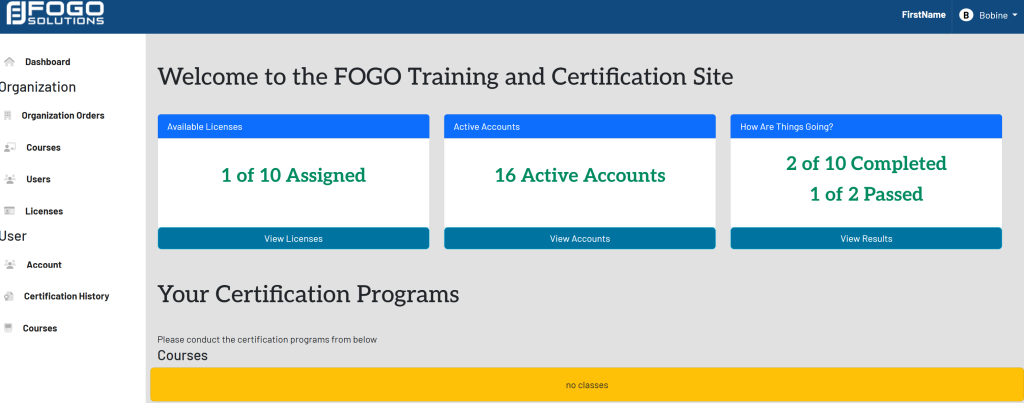
Start at your dashboard. It will look like this:
In the left side navigation bar, select Licenses. This will take you here:
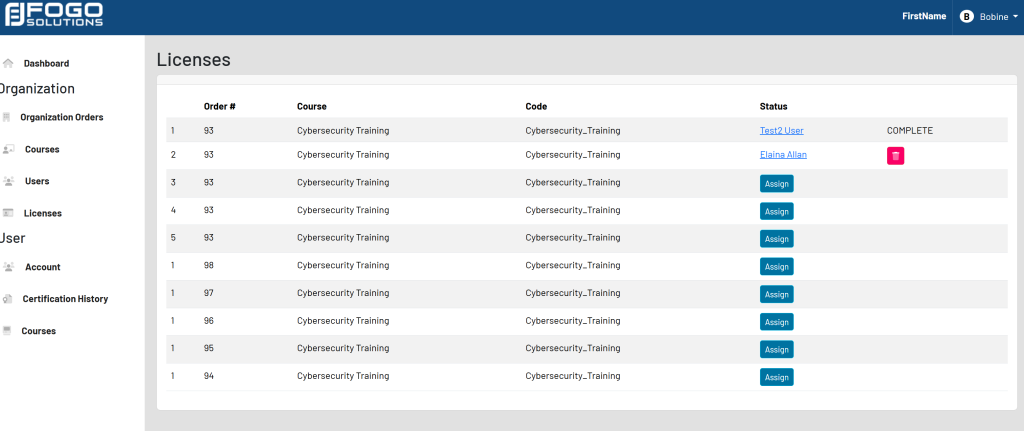
To the right of the users name, select the red trash can.

Start at your dashboard. It will look like this:
In the left side navigation bar, select Licenses. This will take you here:
To the right of the users name, select the red trash can.