
Skip to content
  • FOGO Training Portal
  • FOGO Solutions
Help with FOGO Training
  • Administrator
  • Reseller
  • Organization Admin
  • User
Help with FOGO Training
Home / Administrator / Export List Of Active Licenses
Administrator

Export List Of Active Licenses

Start at your dashboard. It will look like this:
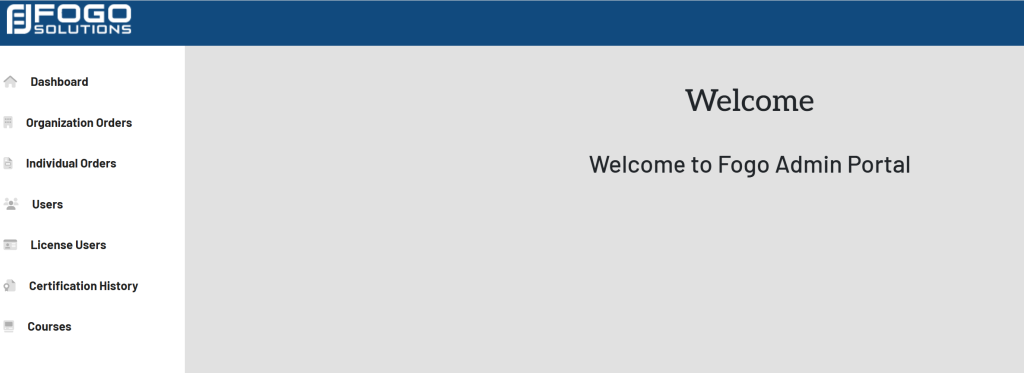
Within the left side navigation bar, select License Users. This will take you here:
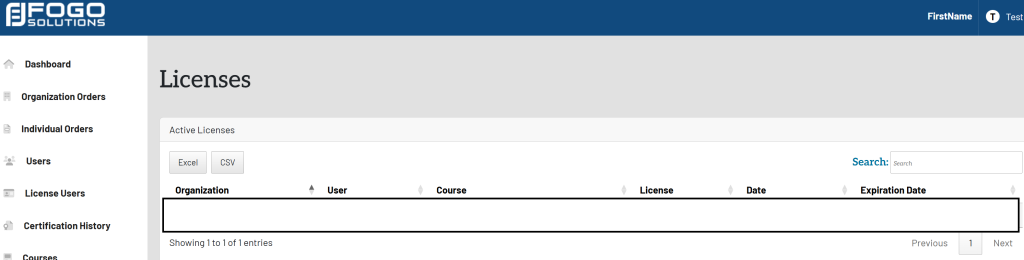
Within the Active Licenses box, you have the option to choose Excel or CSV.

Once selected, the document will download to your device for your use.

Post navigation

Previous Previous
View List Of Active Licenses
NextContinue
View List Of Current Courses
  • Administrator
  • Reseller
  • Organization Admin
  • User
Facebook Instagram Linkedin

© 2026 Help with FOGO Training FOGO Solutions

Scroll to top
  • Administrator
  • Reseller
  • Organization Admin
  • User