
Skip to content
  • FOGO Training Portal
  • FOGO Solutions
Help with FOGO Training
  • Administrator
  • Reseller
  • Organization Admin
  • User
Help with FOGO Training
Home / Administrator / View/Edit The SMTP Settings
Administrator

View/Edit The SMTP Settings

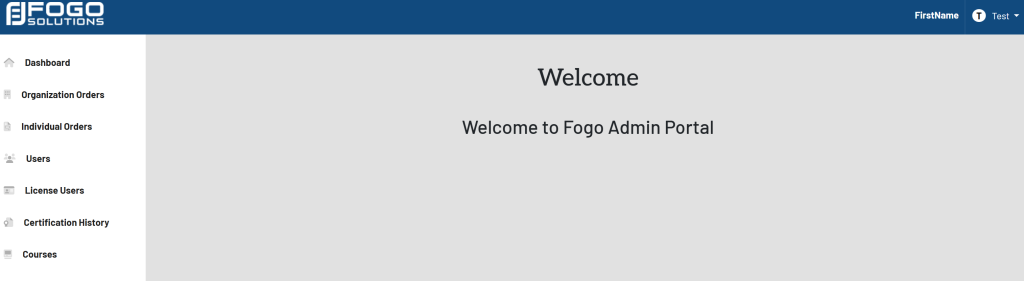
Start at your dashboard. It will look like this:
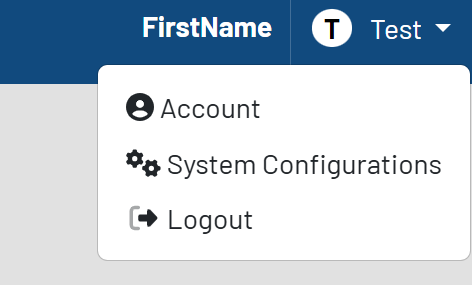
In the top right corner, select your name. In this case, it is labeled Test. Select System Configurations from the drop down.
The list of configurations will then appear. Shown here:
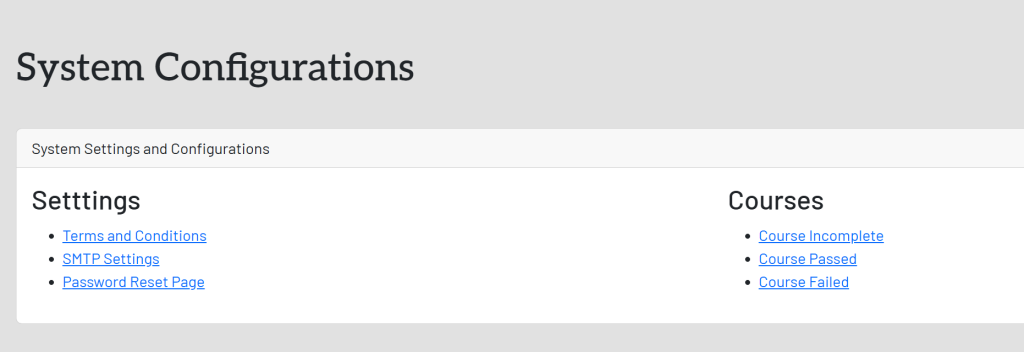
In the System Settings and Configurations box, select SMTP Settings This will take you here:
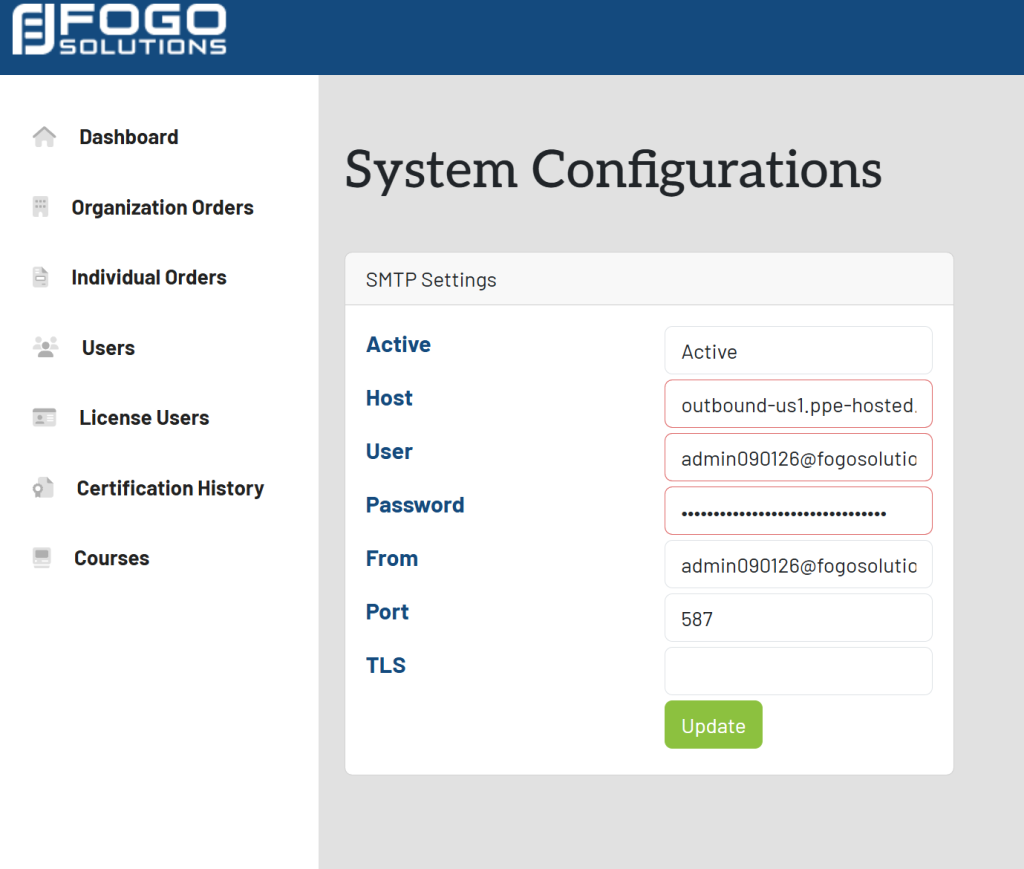
To edit, fill in the required field and select the green button titled Update.

Post navigation

Previous Previous
View/Edit The Terms And Conditions
NextContinue
Edit Password Reset Text
  • Administrator
  • Reseller
  • Organization Admin
  • User
Facebook Instagram Linkedin

© 2026 Help with FOGO Training FOGO Solutions

Scroll to top
  • Administrator
  • Reseller
  • Organization Admin
  • User