
Skip to content
  • FOGO Training Portal
  • FOGO Solutions
Help with FOGO Training
  • Administrator
  • Reseller
  • Organization Admin
  • User
Help with FOGO Training
Home / Administrator / Create New Course
Administrator

Create New Course

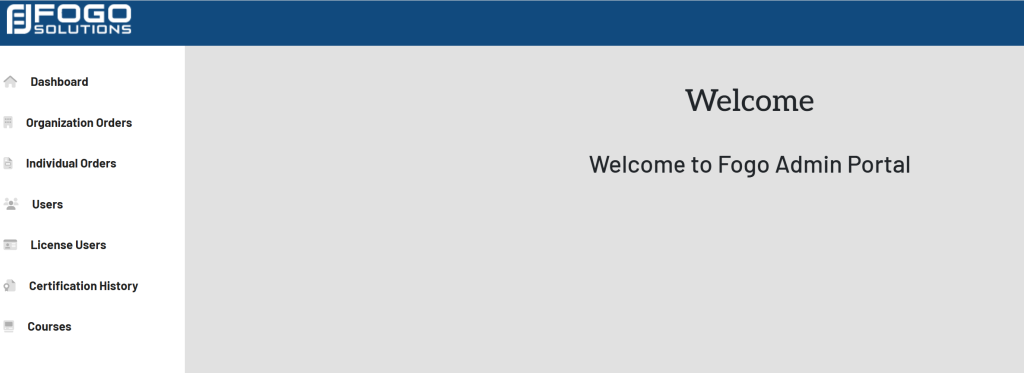
Start at your dashboard. It will look like this:
Within the left side navigation bar, select Courses. It will look like this:
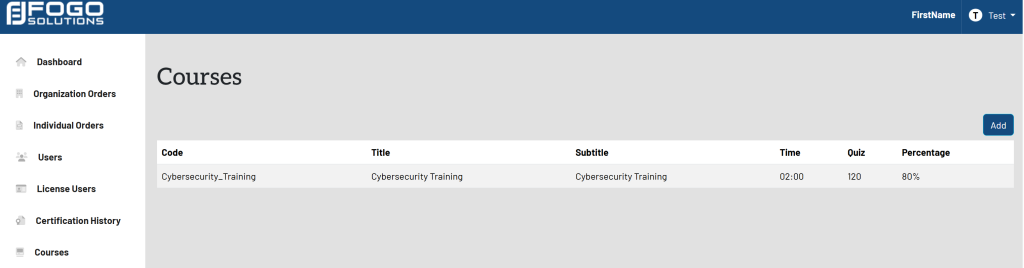
In the top right corner, select the blue button titled Add. A pop up will appear that looks like this:
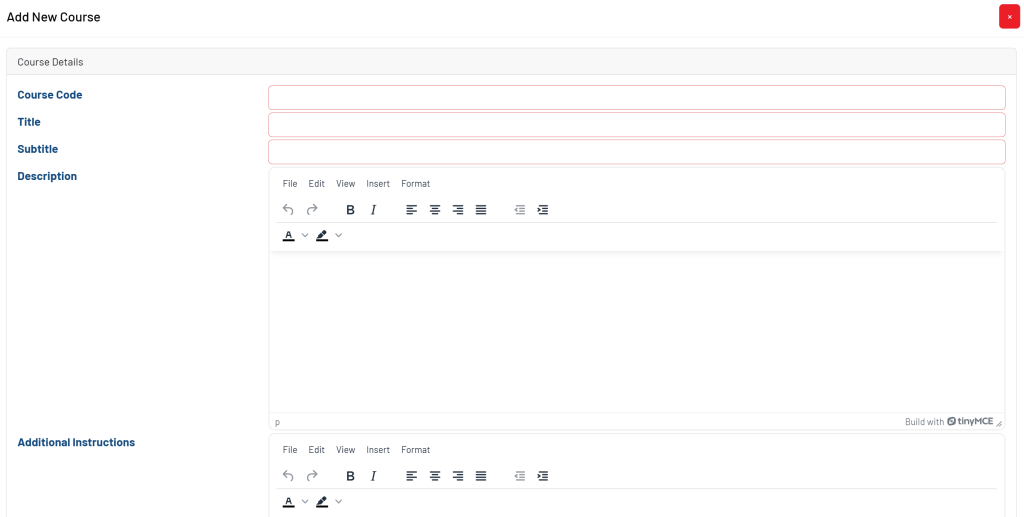
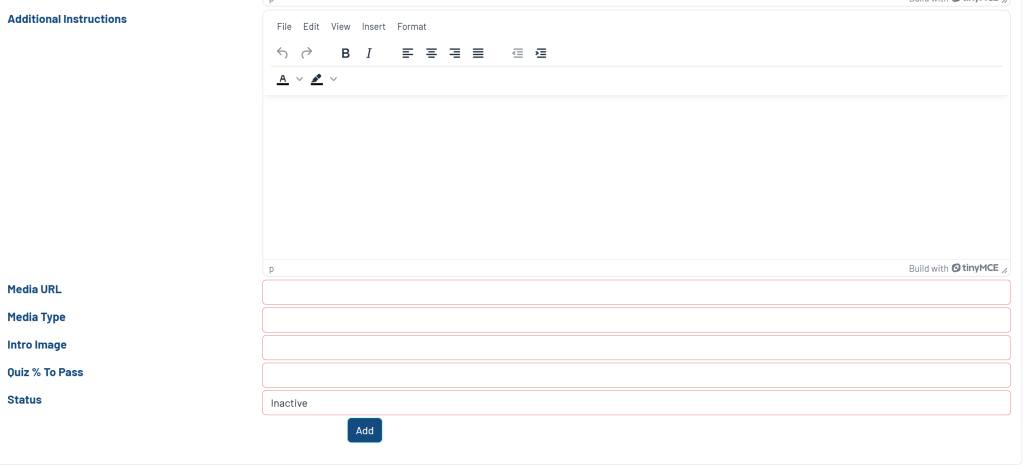
Once the necessary fields have been filled out, select the blue button titled Add at the bottom of the pop up.

Post navigation

Previous Previous
View List Of Current Courses
NextContinue
View A Users Details
  • Administrator
  • Reseller
  • Organization Admin
  • User
Facebook Instagram Linkedin

© 2026 Help with FOGO Training FOGO Solutions

Scroll to top
  • Administrator
  • Reseller
  • Organization Admin
  • User