
Skip to content
  • FOGO Training Portal
  • FOGO Solutions
Help with FOGO Training
  • Administrator
  • Reseller
  • Organization Admin
  • User
Help with FOGO Training
Home / Reseller / Add New User
Reseller

Add New User

Start at your dashboard. It will look like this:
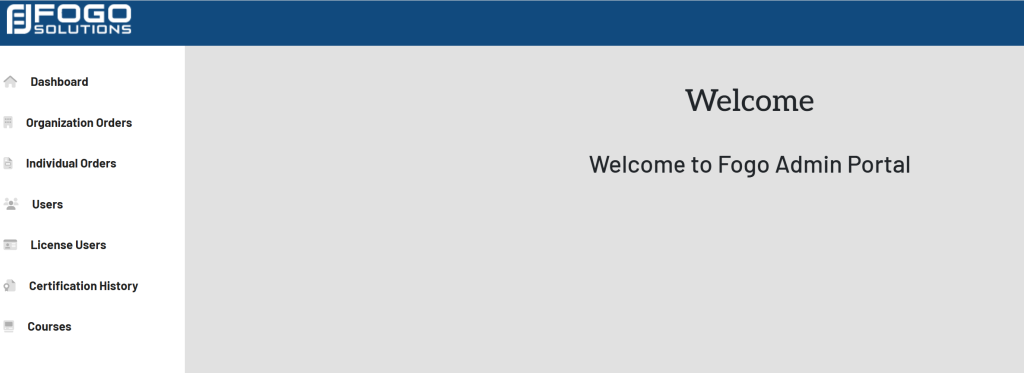
Within the left side navigation bar, select Users. This will take you here:
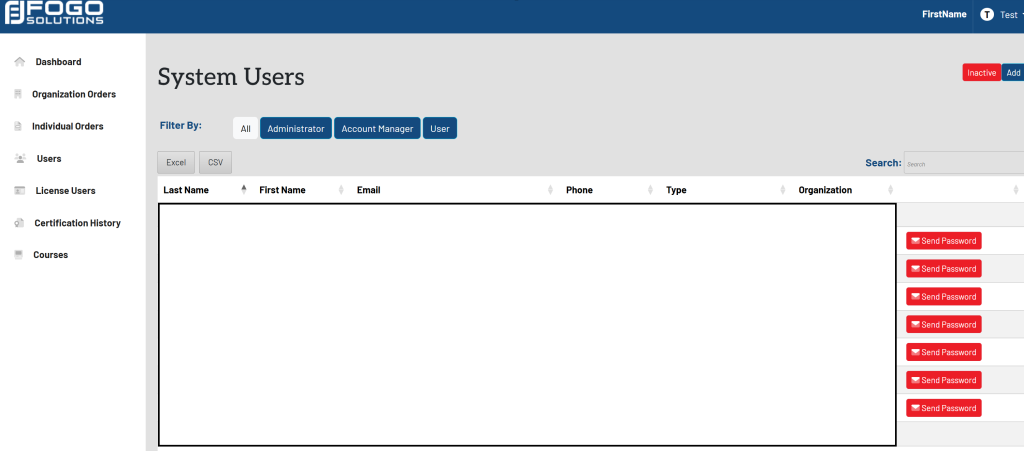
At the top right corner of the screen, select the blue button titled Add. A pop up will appear that looks like this:
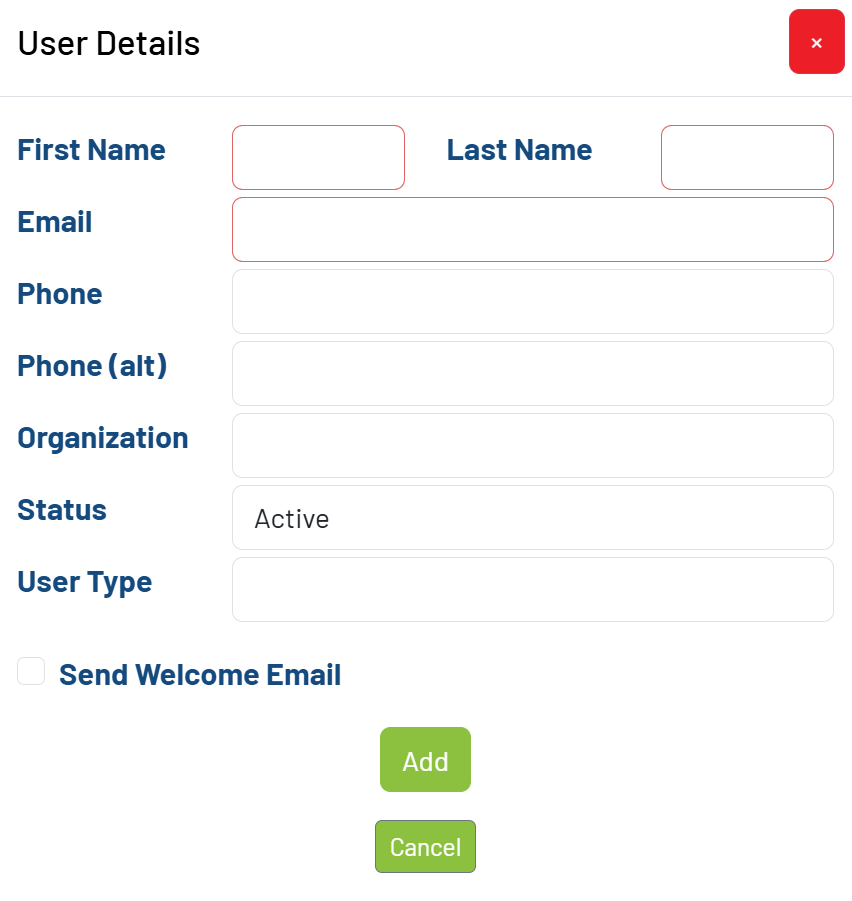
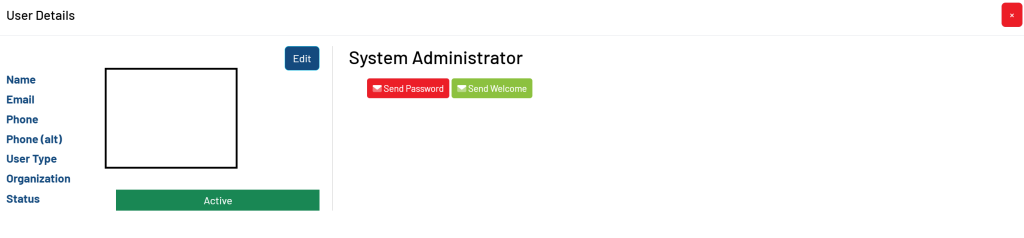
Fill out the required fields. Then, select the green button titled Add. Your pop up will now look like this:
Post navigation

Previous Previous
Assigning a License to an Organization User
NextContinue
Add New Organization
  • Administrator
  • Reseller
  • Organization Admin
  • User
Facebook Instagram Linkedin

© 2026 Help with FOGO Training FOGO Solutions

Scroll to top
  • Administrator
  • Reseller
  • Organization Admin
  • User