
Skip to content
  • FOGO Training Portal
  • FOGO Solutions
Help with FOGO Training
  • Administrator
  • Reseller
  • Organization Admin
  • User
Help with FOGO Training
Home / Administrator / View The Number Of License Codes Available For Assignment Within An Organization
Administrator

View The Number Of License Codes Available For Assignment Within An Organization

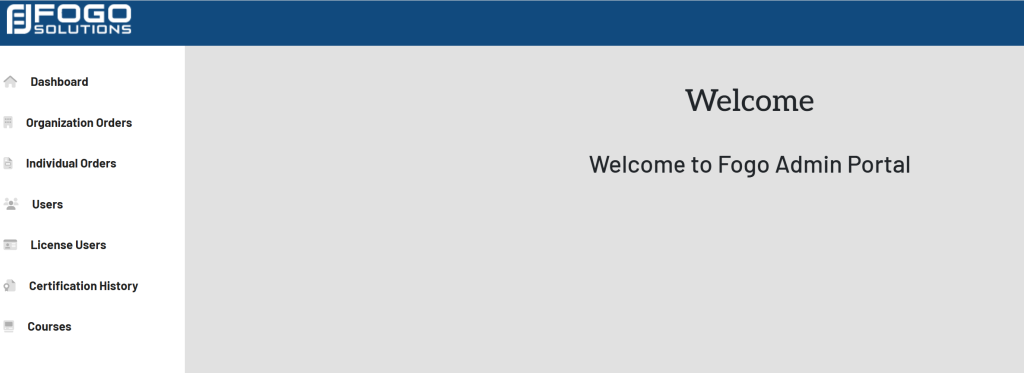
Start at your dashboard. It will look like this:
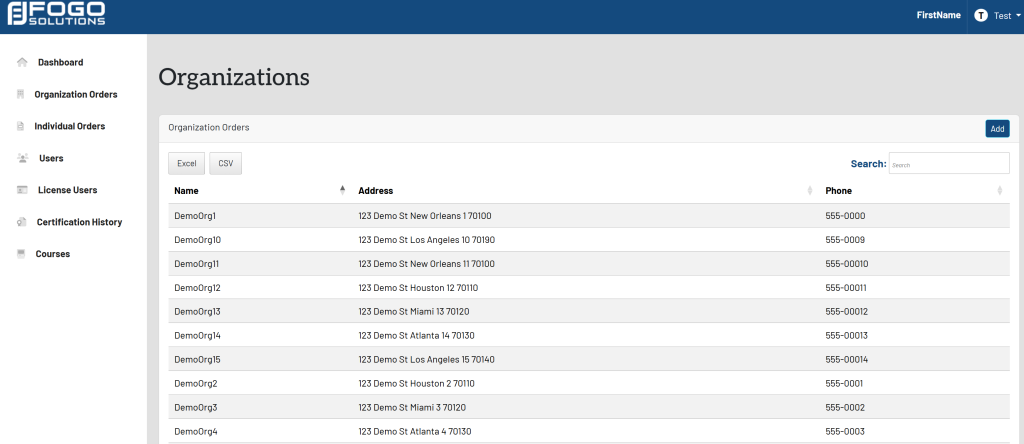
Within the left side navigation bar, select Organization Orders. This will take you here:
Select an organization. A pop up will appear that looks like this:
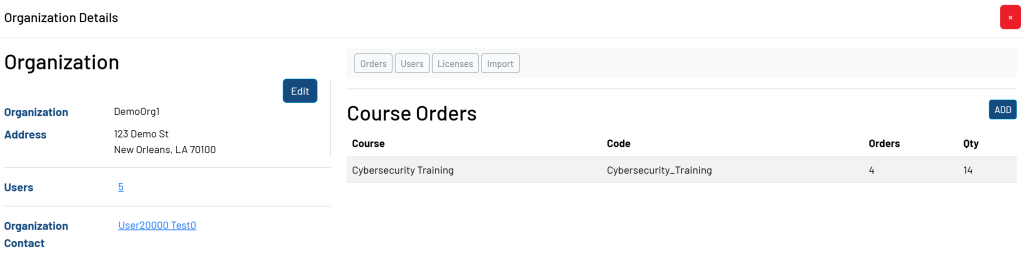
Above the Course Orders box, select Licenses. Your pop up will now look like this:
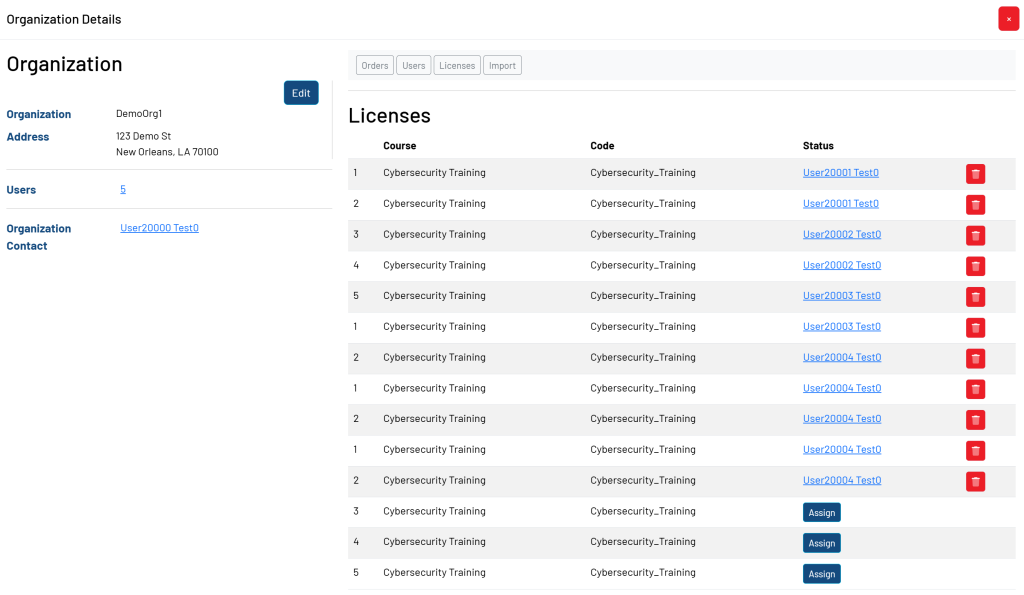
*In this case, there are 14 license codes available for assignment.

Post navigation

Previous Previous
View Users Who Have Been Assigned A License Code Within An Organization
NextContinue
Creating a Course Order for an Organization
  • Administrator
  • Reseller
  • Organization Admin
  • User
Facebook Instagram Linkedin

© 2026 Help with FOGO Training FOGO Solutions

Scroll to top
  • Administrator
  • Reseller
  • Organization Admin
  • User