
Edit Your Account Details
Start at your dashboard. It will look like this:
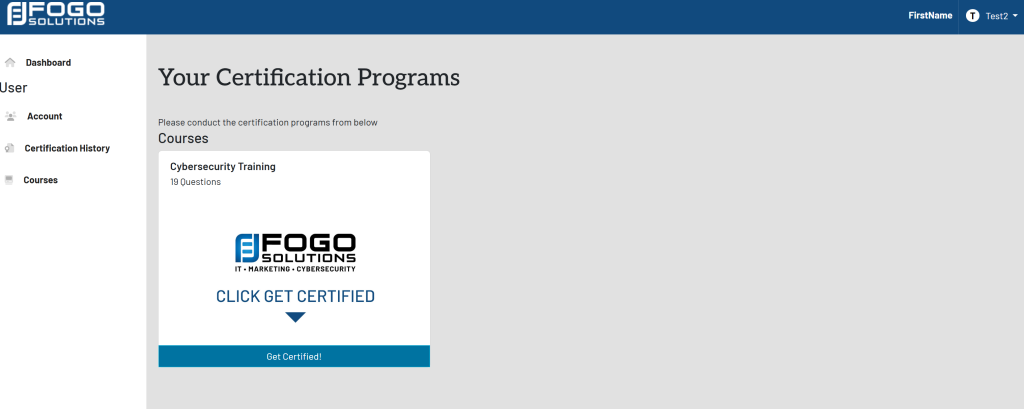
Within the left side navigation bar, select Account. This will take you here:
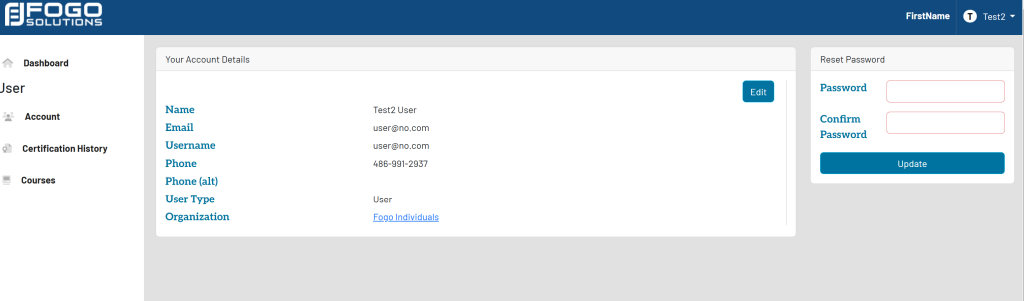
Within the Your Account Details box, select the blue box titled Edit. Your page will now look like this:
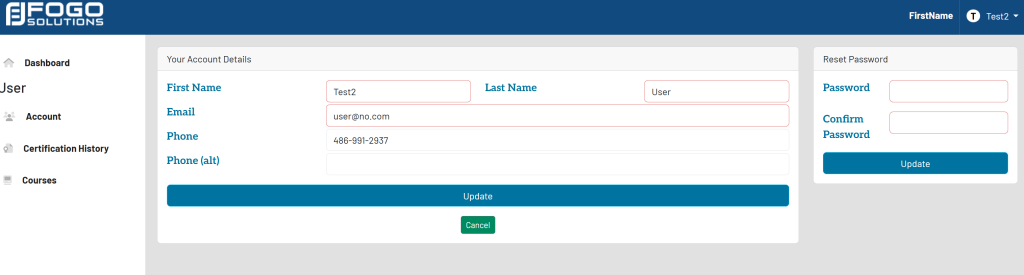
Fill out the required fields. Then, select the blue button titled Update.