Add New User
Start at your dashboard. It will look like this:
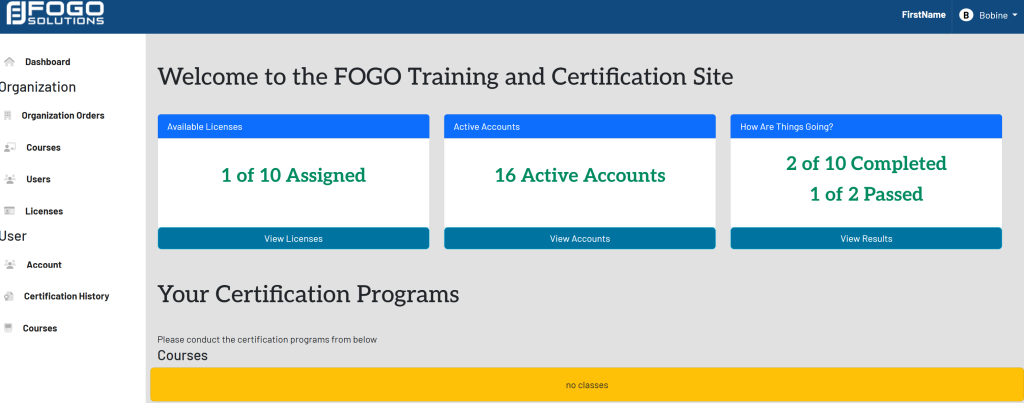
In the left side navigation bar, select Users. This will take you here:
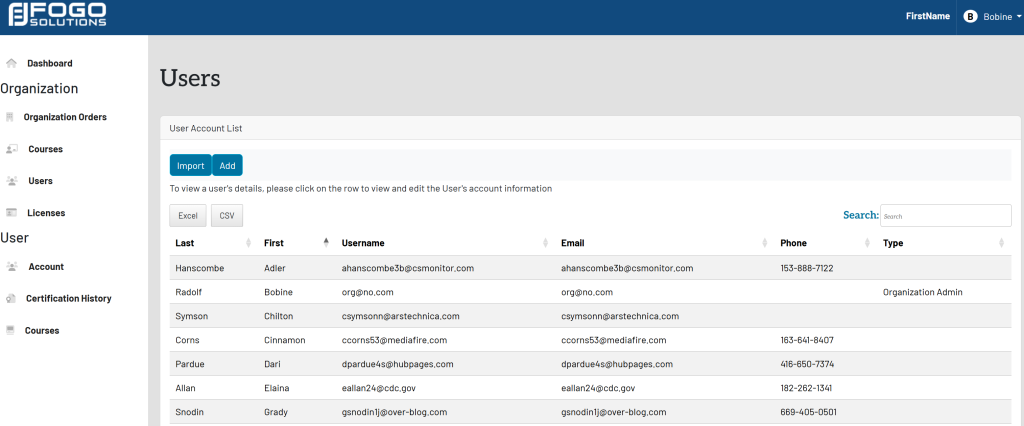
Within the User Account List, select the blue button titled Add.
[Add does not have the ability yet]

Start at your dashboard. It will look like this:
In the left side navigation bar, select Users. This will take you here:
Within the User Account List, select the blue button titled Add.
[Add does not have the ability yet]